
Download That Brew App - Coffee Companion - Brew Methods, Timers, Logs, Share, Customize
Overview
That Brew App - Coffee Companion is a specialized desktop application designed for coffee enthusiasts seeking to refine their brewing techniques. Developed by Luup Apps, the software falls under the lifestyle category and targets individuals passionate about coffee, from casual drinkers to dedicated home brewers. The primary purpose of the app is to assist users in mastering various coffee brewing methods through structured guidance, customizable settings, and detailed tracking. It supports multiple brewing techniques including Hario V60, Chemex, Kalita Wave, Clever Dripper, Aeropress, French Press, and Moka Pot, providing a comprehensive toolkit for consistent results.
The app enables users to create, save, and share custom brew recipes, fostering a community-driven approach to coffee preparation. Each brewing session can be logged with either a brief or highly detailed record, allowing for retrospective analysis and improvement. This functionality is particularly beneficial for users aiming to replicate successful brews or experiment with new variables. Real-world usage scenarios include home brewing sessions, coffee tasting events, and skill development for aspiring baristas. The developer did not provide additional system requirements or performance benchmarks.
Key Features & Capabilities
- Brew Method Support – The app includes built-in templates for seven popular brewing methods, offering step-by-step guidance tailored to each technique.
- Custom Brew Creation – Users can design their own brews from scratch, adjusting parameters such as grind size, water temperature, and brew time.
- Integrated Timers – Multiple timers allow users to track different stages of the brewing process simultaneously, ensuring precision and consistency.
- Brew Logging – Each brewing session can be recorded with customizable entries, ranging from simple notes to detailed logs capturing every variable.
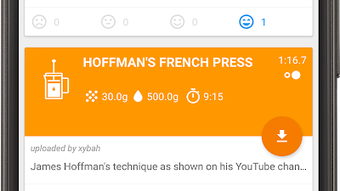
- Share & Rate Brews – Users can publish their brews to a shared community space, rate others’ recipes, and discover new techniques from fellow coffee lovers.
- Offline Access – All brewing data and saved recipes remain accessible without an internet connection, supporting uninterrupted use.
These features collectively enhance the brewing experience by promoting consistency, creativity, and community engagement. For example, a home brewer can use the app to refine a Kalita Wave recipe over multiple sessions, logging changes in grind size and water flow to identify optimal parameters. Similarly, a coffee enthusiast can share a unique Aeropress technique with others, contributing to a growing library of user-generated content.
User Interface, Workflow & Performance
The user interface is designed with simplicity and functionality in mind, featuring a clean layout that prioritizes ease of navigation. Core functions such as starting a timer, selecting a brew method, and accessing logs are accessible through intuitive menus and icons. The workflow is linear and logical, guiding users through the brewing process step by step. The app supports quick access to recently used brews and customizable shortcuts, improving efficiency during active brewing sessions.
Navigation is consistent across all features, minimizing the learning curve for new users. The interface adapts to different screen sizes, though exact display behavior on various desktop resolutions was not specified. Performance observations are based on general software behavior patterns.
The developer did not specify resource usage details, so CPU and RAM behavior remain unknown. Stability during extended use was not documented. However, the app’s offline functionality suggests a focus on reliable, low-latency performance.
Compatibility & System Requirements
That Brew App - Coffee Companion is available for desktop platforms, though the specific operating systems were not fully detailed in the provided information. The software version is 2.4.1, with a file size of 24.2 MB. The developer did not list exact system requirements, including minimum CPU, RAM, or storage specifications. Compatibility information was partially provided, indicating support for desktop environments but not specifying exact versions of Windows, macOS, or other platforms.
Installation is straightforward, with a lightweight footprint that suggests minimal impact on system resources. Users should ensure their device meets general desktop software standards to run the application smoothly. The developer did not provide information on whether the app supports touchscreens, multi-monitor setups, or accessibility features.
Pros and Cons
Pros
- Supports a wide range of popular coffee brewing methods
- Allows full customization of brew recipes
- Includes multiple timers for precise brewing control
- Offers detailed logging for recipe refinement
- Enables sharing and rating of brews within a community
- Functions offline with no internet dependency
Cons
- Exact system requirements were not listed
- Performance metrics such as CPU or RAM usage were not provided
- Compatibility with specific desktop OS versions is unclear
- No information on accessibility features or touch support
- Developer details beyond the name were not included
FAQ Section
Is That Brew App compatible with my desktop operating system?
Compatibility information was partially provided. The app is designed for desktop platforms, but specific OS versions were not listed. Users should verify system compatibility based on general software standards.
Is the app free to download and use?
Yes, That Brew App - Coffee Companion is available for free download. No subscription or in-app purchase requirements were mentioned.
Can I use the app without an internet connection?
Yes, the app supports offline functionality. All saved brews, logs, and settings remain accessible without an active internet connection.
How often are updates released?
The app is currently at version 2.4.1. The release date was April 18, 2024. Update frequency was not specified.
What type of license does the app use?
The licensing model was not disclosed. The app is available for free download, but specific terms of use were not provided.
Final Thoughts
That Brew App - Coffee Companion delivers a focused and practical solution for coffee lovers who want to elevate their brewing experience. Its support for multiple brew methods, customizable recipes, and detailed logging features make it a valuable tool for both beginners and experienced users. The ability to share and rate brews adds a social dimension that enhances engagement and knowledge sharing.
While system requirements and performance data are limited, the app’s lightweight size and offline functionality suggest a user-friendly design. The lack of detailed technical information is a minor drawback, but it does not detract from the core experience. For anyone passionate about coffee and looking to refine their craft, this app offers a well-structured, intuitive platform to experiment and improve.
Download That Brew App now







